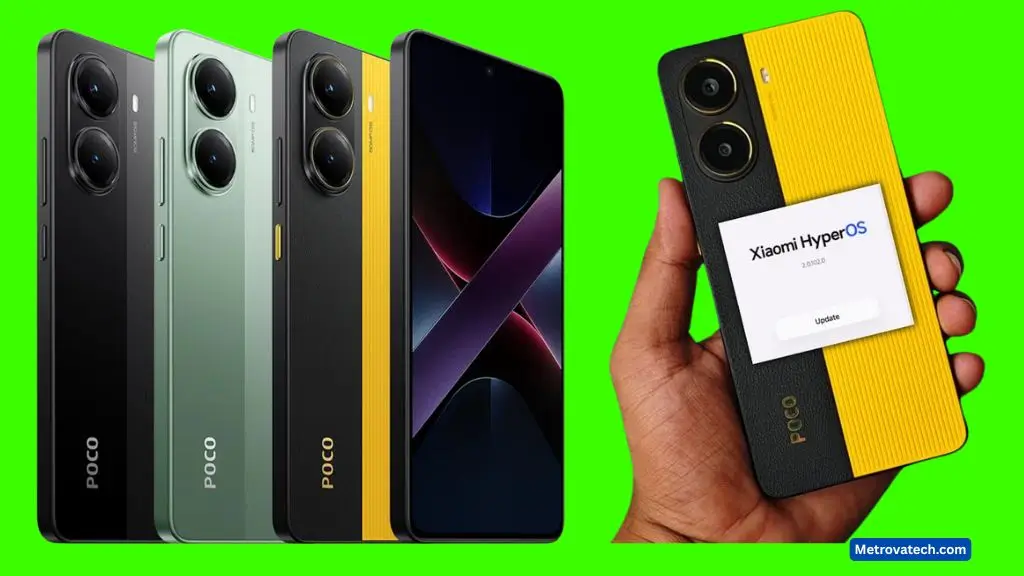
You’re probably wondering if it’s finally safe—or even worth it—to hit “update” on your Poco X7 Pro. I get why you might hesitate. Big updates can be exciting and nerve-wracking at the same time. With HyperOS 2.0.100.0 rolling out, Poco X7 Pro users are in for a real treat: smarter AI features, tighter security with the March 2025 patch, and a more flexible home screen experience. In this guide, I’ll break down what’s new, what it means for you, and why this update matters for the way you use your phone every day.
Let’s go through the headline features, the visible improvements, and those subtle but meaningful tweaks that make your device safer and smarter.
What’s New in the Poco X7 Pro HyperOS 2.0.100.0 Update?
The HyperOS 2.0.100.0 update for Poco X7 Pro is far more than just another software patch. Xiaomi has packed it with fresh AI-driven features, security upgrades, and design changes that bring your device closer to the latest premium flagships. Here are the main highlights you’ll notice:
March 2025 Security Patch: What’s Improved?
Staying safe online has never been more important, and Xiaomi understands this well. The March 2025 security patch is the backbone of this update, bringing critical improvements to the Poco X7 Pro.
- Stronger privacy controls: You’ll have more options to manage app permissions and background activity, which means fewer apps snooping without your consent.
- Real-time threat detection: The system now checks for unusual activity, helping stop malware before it becomes a problem.
- Quicker fixes for known issues: Ongoing monthly patches mean problems get addressed faster, so you’re less likely to run into old bugs or vulnerabilities.
For those who care about their data and peace of mind, these changes mean less worry about privacy breaches or malware. Xiaomi’s commitment to regular patches, as outlined on their official HyperOS page, builds trust that your phone gets smarter at defending itself each month.
Revamped Home Screen and Visual Changes
The update gives Poco X7 Pro’s home screen a much-needed refresh. If you love personalizing your phone, you’ll appreciate these changes:
- Customizable app drawer and widget layouts: Now you can arrange apps and widgets how you want, with drag-and-drop simplicity.
- Smooth animations and cleaner textures: The interface feels more polished, making everyday navigation a lot more enjoyable.
- Theme and icon tweaks: Pick from new icon packs and backgrounds for a look that matches your style. If you want inspiration, check out user-shared layouts on Reddit or explore theme customization options that go beyond the basics.
- Quick access toggles: Switch up your shortcuts and app placements with just a few taps.
These visual upgrades aren’t only about appearances. They help you find apps faster, reduce eye strain, and make your device feel new again—even if you’ve had it for a while.
Smart AI Features and App Upgrades
HyperOS 2.0.100.0 isn’t just about looks; it’s about making the Poco X7 Pro smarter and more helpful. Here’s what stands out:
- Gemini AI Integration: This now powers voice commands, app suggestions, and system search, learning your usage patterns to give smarter, faster results.
- Gallery App AI: New AI-powered editing tools, like AI Sky replacement and object erasure, make it simple to touch up photos without extra apps. The AI can even auto-organize albums or suggest the best pictures for sharing.
- AI Interpreter: Useful for travelers or students, this tool translates text and audio in real time, right from your device.
- Multitasking Improvements: Open more apps side by side, drag content between them, and switch between tasks without lag.
These upgrades save you time and reduce the need for extra downloads. For a deeper dive into all the AI features and the full device list, check out this detailed breakdown on HyperOS 2.0 eligible devices and features.
Conclusion
HyperOS 2.0.100.0 isn’t just another update—it’s a substantial leap in daily usability, security, and smart features for Poco X7 Pro owners. The March 2025 security patch protects your privacy, while the revamped visuals and flexible home screen put the power of customization in your hands. AI-driven upgrades, from the Gemini assistant to smarter photo editing, transform your device into a more helpful companion.
FAQs: Poco X7 Pro HyperOS 2.0.100.0 March 2025 Update
Is my Poco X7 Pro eligible for the HyperOS 2.0.100.0 update?
Yes, if you own a Poco X7 Pro, you should see the update in your system settings once it’s rolled out to your region. Updates usually arrive in waves, so be patient if you don’t see it right away.
Will the update slow down my phone or drain my battery?
Most users report that performance is as good or better after the update. System optimizations and smarter background controls are designed to reduce battery drain, not increase it.
Are there any known bugs or issues?
Some early users have noted minor hiccups, such as widgets resetting or theme compatibility problems, but these are being patched quickly with ongoing releases. Checking user feedback threads like those on Reddit can give you up-to-date reports.
What happens to my old apps and data?
Your apps and data stay safe during the update. However, it’s always smart to back up important files before any major upgrade. Some older apps may need to be updated for full compatibility with the new system.
How do I access the new features?
After updating, explore your settings for “Home screen & Personalization,” try out the new Gallery AI tools, and activate Gemini Assistant through the system settings. For home screen tweaks, follow in-app tutorials or community guides like these home screen icon tips.
Is it safe to install the update right away?
Yes, the March 2025 patch focuses on stability and security. Installing updates promptly helps protect your device from threats and gives you access to the latest features.
If you have more questions or want to share your experience with the new update, join the discussion in Poco user communities and stay tuned for future improvements.