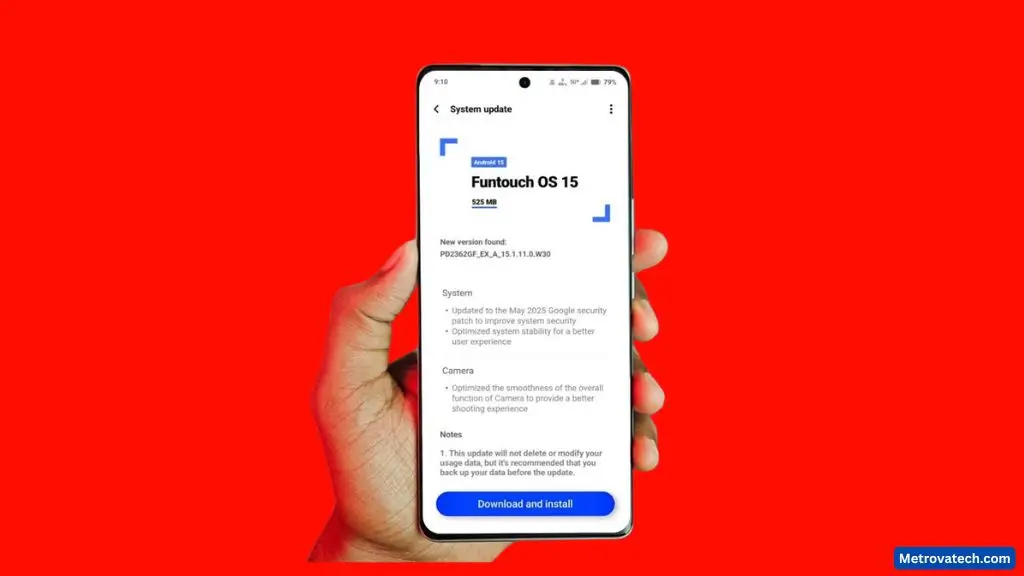
Noticing changes after your Vivo T3 Ultra’s latest update? You’re not alone. Many Android users crave clarity about what’s been improved, especially when it comes to camera quality, performance, and the daily software experience. In this deep-dive, I’ll break down recent updates for the T3 Ultra—with insights from my own use and early feedback from the tech community. If you’re wondering what’s actually new or just want to know if the update is worth your time, this guide will help you decide.
Vivo T3 Ultra After the Update: What’s New?
The Vivo T3 Ultra has seen a significant boost with its latest software refresh. Users have reported more stable performance, a smoother UI, and meaningful camera upgrades, particularly in low-light photography and special creative modes.
Key improvements from the May update:
- Enhanced image processing for sharper, more colorful photos
- Better UI transitions and reduced lag in app switching
- Optimized battery management for longer usage
- Bug fixes for touch sensitivity and app crashing
Several users on community forums have noticed that their camera app opens faster, and photos in challenging light look more natural. The UI feels less cluttered, with quick settings and notifications being easier to manage. For a detailed list of official enhancements, Vivo’s T3 Ultra page outlines recent features and laboratory results.
Device Overview and Hardware Highlights
The Vivo T3 Ultra stands out thanks to its robust hardware and stylish build:
- Processor: MediaTek Dimensity 9200+ for fast multitasking and smooth gaming
- RAM: Options up to 12GB with memory fusion tech for better app handling
- Battery: 5,500mAh capacity, supports 80W fast charging
- Display: 6.78-inch 120Hz AMOLED with curved edges
- Camera: 50MP Sony IMX921 primary sensor, OIS, and advanced autofocus
These specs allow the T3 Ultra to compete with many mid-to-premium Android phones, making it an appealing choice for those who want strong performance without breaking the bank. For a detailed look at hardware and design, see this in-depth review.
Update Installation and User Feedback
The latest update arrived as an OTA (over-the-air) release. Installation is straightforward:
- Go to Settings > System Update
- Download and install the new firmware
- Phone reboots and optimizes your apps
Most users found the process quick and glitch-free. Early impressions suggest improved battery life and fewer crashes, though a handful mentioned minor bugs, like delayed notifications or the occasional app restart. On Reddit, users share that smoothness and camera speed have both clearly improved, while battery backup now lasts longer during heavy use (Reddit feedback).
Vivo T3 Ultra Camera: Real-World Improvements and Modes
Photography is where the T3 Ultra’s update really shines. Changes are immediately obvious in both daylight and night shots, with optimized processing that makes every picture pop.
Popular camera modes now include:
- Natural: True-to-life colors, balanced skin tones
- Textured: Enhanced detail for scenic or architectural shots
- Vivid: Punchier colors without looking artificial
- Supermoon: Clear shots of the moon with good contrast
- Astro: Captures stars and night skies with reduced noise
Users have highlighted that switching between these modes feels quicker and the output looks more polished than before. On the T3 Ultra’s official page, there’s a detailed breakdown of the autofocus and color tech behind these results.
Main Camera and Imaging in Different Scenarios
The 50MP Sony IMX921 sensor, paired with optical image stabilization (OIS), delivers strong results across most settings.
What stands out:
- Daylight: Crisp detail, low noise, and accurate color balance
- Low Light/Night: Noticeably less grain, truer skin tones, and better shadow handling
- Video: Stable footage thanks to OIS, clear audio capture, and smooth frame rates
Key findings:
- Autofocus is fast and reliable, even with moving subjects
- Portraits now separate the subject from the background more naturally
- Supermoon and Astro modes produce social-media ready shots with minimal effort
Real-world user galleries on Reddit often showcase these improvements (camera shots discussion).
Front Camera and AI Features
Selfie fans will appreciate the T3 Ultra’s upgraded front camera. It uses AI-based enhancements to improve skin texture, remove blemishes, and offer natural background blur in portrait selfies.
- Clarity: Sharp and well-exposed, even in indoor lighting
- AI Features: Smart beauty modes, auto HDR, and scene recognition
- Video: Supports 1080p recording with real-time beautification
Users have praised the front camera’s ability to produce Instagram-ready selfies that don’t look over-processed.
Performance, Geekbench Scores, and UI Experience
The T3 Ultra is built for speed, and recent benchmarks back this up.
Thanks to its MediaTek Dimensity 9200+ chipset and up to 12GB RAM, this phone delivers a lag-free experience for almost any app or game.
Geekbench and Antutu Benchmark Comparison
Benchmark enthusiasts will be pleased with the latest results. According to 91mobiles:
- Geekbench Single-Core: 1,854
- Geekbench Multi-Core: 5,066
- Antutu Score: 1,445,926
These numbers put the T3 Ultra near the top of its class, especially for its price bracket. For more benchmarking details.
Everyday Performance: Multitasking and Gaming
In everyday use, the T3 Ultra rarely stutters. Apps open quickly, and multitasking is smooth, even with several apps in the background.
- RAM Management: Keeps multiple social and gaming apps ready to use
- Gaming: High frame rates in popular titles like BGMI and Call of Duty Mobile
- Thermals: Stays cool during extended play, thanks to improved heat dissipation
- Battery Life: Easily lasts a full day with heavy use; fast charging tops it up quickly
Community feedback echoes these findings, with most users reporting a responsive, enjoyable experience.
Funtouch OS 14: UI Customization, Bloatware, and Updates
Funtouch OS 14, layered over Android 14, brings a colorful and customizable interface. Users can tweak themes, icons, and always-on display settings.
Key points:
- Visuals: Clean, modern look with rich customization options
- Ease of Use: Simple navigation, useful quick settings, and handy floating windows
- Bloatware: Some pre-installed Vivo apps, but most can be disabled or removed
- Update Policy: Regular security patches and at least two years of software updates
A few users would like to see even less bloatware, but overall, the UI is rated as intuitive and feature-rich.
Conclusion
The May update for the Vivo T3 Ultra breathes new life into an already impressive phone. Camera performance has taken a step up, making both everyday and creative shots easier to capture. With robust Geekbench scores and smooth daily performance, the T3 Ultra now stands as one of the best value choices in its class.
Disclaimer: The information in this review comes from a combination of personal use, community feedback, and reputable online sources. Scores and features may change with future updates. Always check the official Vivo site or trusted tech sources before making a purchase.