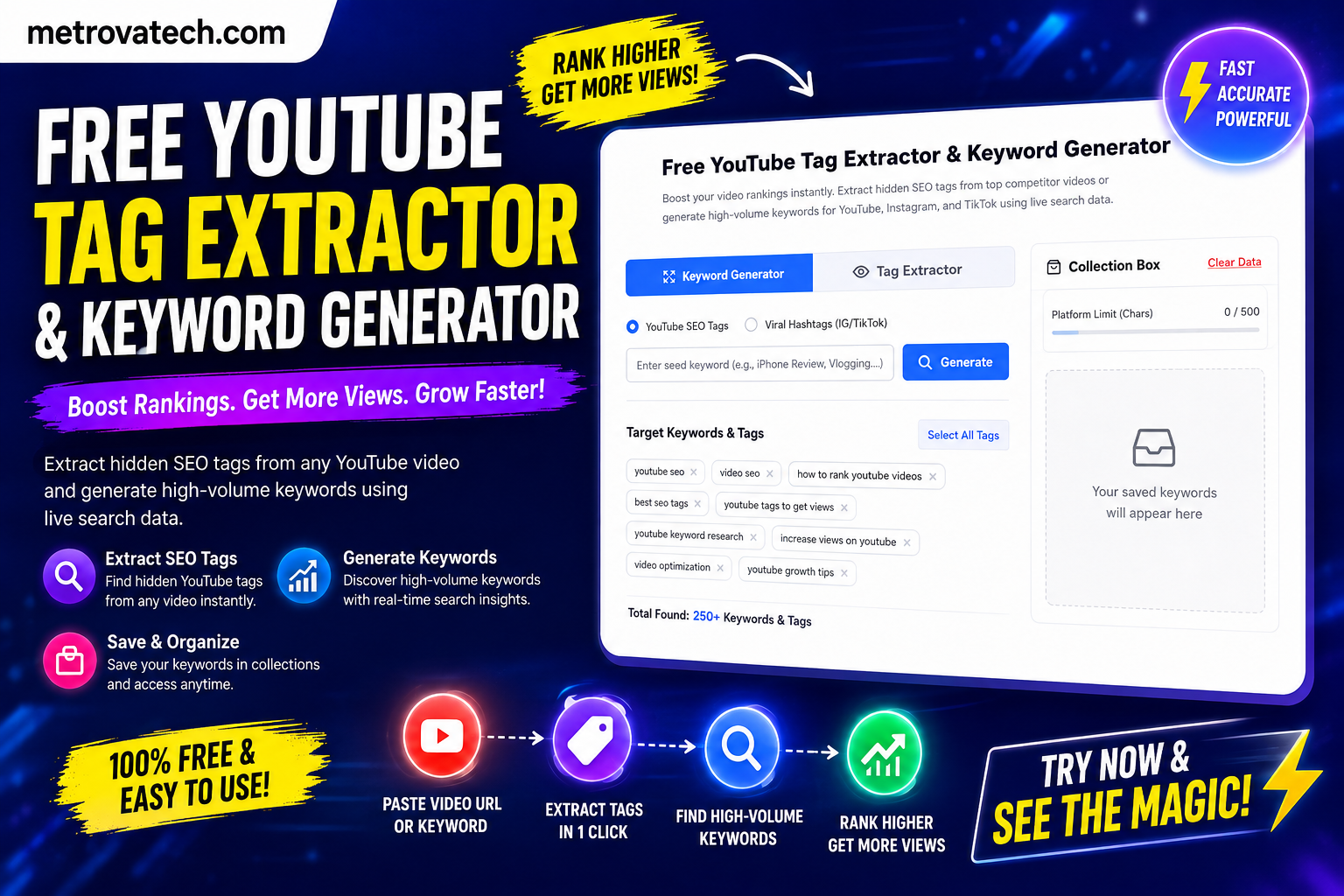
Free YouTube Tag Extractor & Keyword Generator
Boost your video rankings instantly. Extract hidden SEO tags from top competitor videos or generate high-volume keywords for YouTube, Instagram, and TikTok using live search data.
Paste any competitor’s video URL to extract their hidden ranking tags.
The Ultimate Guide to YouTube Tag Extraction and Keyword Generation
Struggling to get views on your videos? The secret to dominating the algorithm lies in the exact keywords your competitors are using. A high-quality youtube tag extractor allows you to peek behind the curtain and discover the exact SEO tags driving millions of views to top-ranking videos. Combined with a live keyword generator, this dual-engine tool is your ultimate unfair advantage for channel growth.
What Makes This Dual YouTube SEO Tool Advanced?
Most standard tag extractors on the internet either bombard you with ads or provide outdated database results. Our advanced YouTube keyword generator is built differently:
- Live Search Data: The generator engine connects directly to live search autocomplete data, ensuring you get trending hashtags for YouTube, Instagram, and TikTok as they happen.
- Client-Side Speed: Operating entirely in your browser, this tool extracts data in milliseconds without saving your search history to any external server.
- The Tag Stacker: Unlike basic tools, our Collection Box lets you mix and match tags from multiple competitor videos and custom keyword searches before copying them in one click.
Is Extracting YouTube Tags Legal? (Data Compliance)
A common question among new creators is whether extracting tags violates any platform policies. The short answer is no. Our youtube tag extractor is 100% legal and strictly compliant with platform guidelines. It utilizes the official YouTube Data API v3 to fetch public video metadata. When a creator uploads a video and adds tags, that information becomes public data indexable by search engines. We simply format this raw data into an easily readable and copyable list for your research.
How Creators Accelerate Growth Using Competitor Keywords
YouTube’s algorithm heavily relies on video metadata to understand context and serve content to the right audience via the “Suggested Videos” sidebar. Here is how you can use competitor keywords strategically:
First, search for your video topic on YouTube and copy the URL of the top-ranking video. Paste it into our extractor to reveal their hidden tags. Do not blindly copy all of them; instead, use the Tag Stacker to select highly relevant keywords. Next, switch to the YouTube keyword generator tab, input a broad seed keyword, and generate long-tail variations.
By blending your competitor’s proven SEO tags with fresh long-tail keywords, you signal to the algorithm that your video is highly relevant to trending topics. This dual strategy helps position your content directly next to viral videos in the recommendations feed. For more tips on optimizing your channel, check out our guide on advanced YouTube SEO strategies.
The Blueprint for Ranking: Short-Tail vs. Long-Tail Tags
Finding the right balance of keywords is crucial for YouTube SEO. A common mistake new creators make is only targeting highly competitive, single-word tags (short-tail). While our YouTube keyword generator will provide these broad terms, your strategy should focus heavily on long-tail keywords. Long-tail tags are phrases containing three or more words, such as “how to make paneer at home” rather than just “paneer”.
These longer phrases have lower search volume but incredibly high conversion rates because they target a specific user intent. By cross-referencing your generated tags with tools like Google Trends, you can identify rising search patterns before your competitors do. Fill your Collection Box with a mix of 20% broad terms and 80% long-tail phrases for maximum algorithm reach.
Avoid These 3 Deadly Tagging Mistakes
Even with the best YouTube tag extractor, poor application can ruin your video’s potential. To ensure your channel remains in good standing, avoid these critical errors:
- Tag Stuffing in Descriptions: Do not copy your entire tag list and paste it directly into your video description as a block of text. YouTube considers this spam. Instead, weave those generated keywords naturally into coherent sentences.
- Misleading Metadata: Never use trending competitor tags if they do not relate to your actual video content. Misleading tags result in low audience retention, which kills your video’s reach immediately.
- Ignoring Hashtags: Standard backend tags and visible hashtags (the ones starting with # above your title) serve different purposes. Use our tool’s “Viral Hashtags” toggle to generate 3 to 5 highly relevant hashtags for the description box.
Frequently Asked Questions (FAQs)
Do YouTube tags still matter in 2026?
Yes, while YouTube states that titles and thumbnails are the primary drivers of clicks, tags still play a vital role in providing context. According to YouTube’s official guidelines, tags are especially useful if the content of your video is commonly misspelled. Furthermore, extracting tags helps you understand the exact language and terminology your niche audience is searching for.
How many tags should I put on a YouTube video?
YouTube allows up to 500 characters in the tags section. However, quality matters more than quantity. It is recommended to use between 5 to 8 highly relevant, targeted phrases rather than maxing out the 500-character limit with unrelated keywords. Our Collection Box automatically tracks your character count to ensure you stay within the optimal limit without over-optimizing.
Why is the YouTube tag extractor not finding tags on some videos?
If the extractor returns no results, it means the creator of that specific video chose not to include any backend SEO tags during upload. This is common with massive creators who rely purely on subscriber velocity rather than search SEO. When this happens, simply switch to our Keyword Generator tab to create your own high-ranking tags based on the video’s topic.
Can I use this tool for Instagram Reels and TikTok?
Absolutely. By switching the tool’s platform toggle from ‘YouTube SEO Tags’ to ‘Viral Hashtags’, the generator engine alters its formatting. It produces single-word, continuous hashtags optimized for short-form video platforms like Instagram Reels, TikTok, and YouTube Shorts.
Is this keyword generator completely free?
Yes, our YouTube tag extractor and keyword generator suite is 100% free to use. There are no hidden paywalls, subscription fees, or daily search limits. The tool runs directly in your browser, providing unlimited, instantaneous keyword research for all your content creation needs.